"Is it safe?" can mean two things: will other people be unable to see my photos, and will I never lose them? A good vault has to do both, and the two pull against each other. Here are the real risks, what 17 apps' App Store pages show, and a checklist you can use on any vault.
What are the real risks of photo vault apps?
- No real encryption. Some vaults only put a PIN screen in front of normal image files. Anyone who reaches the files another way can see them.
- Losing your photos. Vault photos are often left out of normal iPhone backups. A new phone, a reinstall or an expired subscription can leave them stranded. In recent one- and two-star reviews of eight popular vaults, lost or missing photos came up 47 times.
- Getting locked out. A forgotten code with no recovery option can mean losing everything.
- Your data going elsewhere. Ad and analytics SDKs, and backups on the developer's servers, mean your activity, or your photos, leave your control.
- Paywalls around your own photos. Some apps limit access when you stop paying.
What do vault apps' App Store listings show?
We looked at 17 popular iPhone vault apps on 22 October 2026, using only what each developer says on its App Store page and the privacy label it reported to Apple:
| Finding | Apps |
|---|---|
| Report "Data Used to Track You" | 9 of 17 |
| Don't mention encryption in the listing | 6 of 17 |
| Name AES-256-GCM | 2 of 17 |
| Report "Data Not Collected" | 3 of 17 |
Not mentioning encryption doesn't prove an app doesn't encrypt, and privacy labels are self-reported. But a vault that protects your photos well usually says how. App-by-app details are in our comparison.
What should you check before trusting a photo vault?
- Encryption, named and on-device. Look for a specific cipher (AES-256) and a statement that photos are encrypted on the phone. "Secure" and "military-grade" alone tell you nothing. Our plain-English encryption guide explains what to look for.
- A backup you can restore. Where does it go, is it encrypted with your key, and how do you restore on a new iPhone? Is backup included in the free plan?
- Recovery that doesn't weaken privacy. A recovery phrase or key you keep is safer than an email reset the developer controls. No recovery at all is private but unforgiving.
- The privacy label. On the App Store page, check "Data Used to Track You". For a vault, the best answer is "Data Not Collected".
- The stop-paying rule. Can you still view, export and back up your photos if the subscription ends?
- Export. Can you get everything out in full quality, with dates, in one go, without paying?
What are the red flags?
- Only "military-grade" or "bank-level" security, with no specifics.
- A code that the developer can reset by email, without saying what that means for privacy.
- Cloud backup only on a paid plan, so free users have one copy on one phone.
- Heavy ads, or tracking data in the privacy label.
- Recent reviews about photos disappearing after updates or new phones.
- No update in over a year. Vault apps need to keep up with each iOS release.
How do you use a photo vault more safely?
- Use a long code, and don't reuse your iPhone passcode.
- Save your recovery phrase or key on paper, somewhere safe.
- Remove originals from Photos and Recently Deleted after importing.
- Check the backup now and then, especially before changing phones (see our new-iPhone checklist).
- Keep a second copy of anything irreplaceable, somewhere you control.
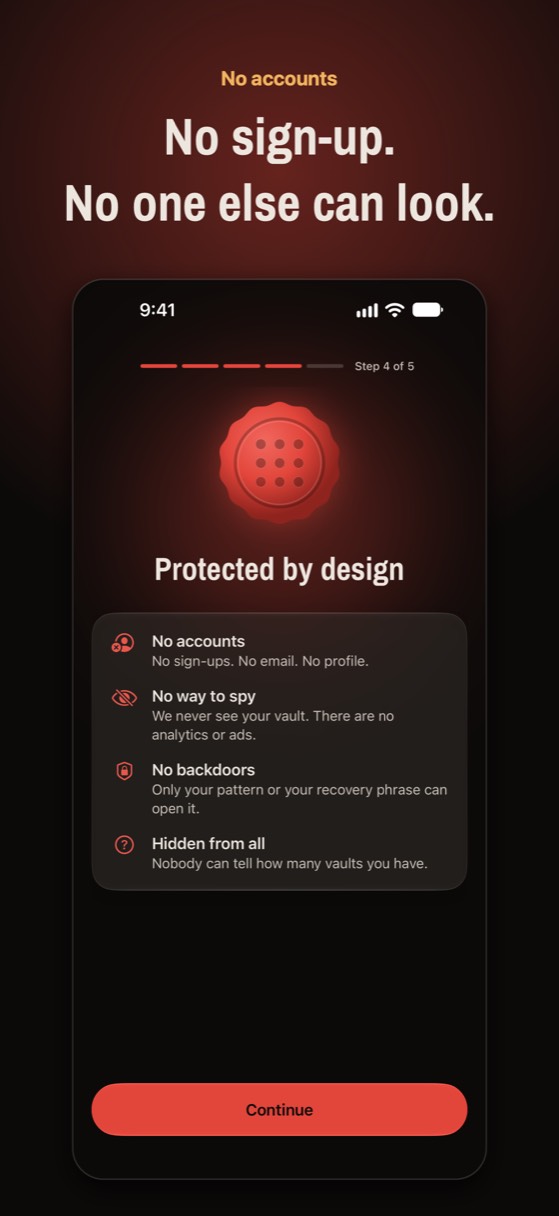
We built Noxium, our own vault, to pass this checklist: photos are encrypted on the iPhone with AES-256-GCM using a key from your pattern (Argon2id); the backup is encrypted, in your own iCloud, on the free plan; a recovery phrase you write down at setup is the only spare key; the privacy label is Data Not Collected; there are no ads; and if Pro ends you keep full access to view, export and back up. It's also brand new, with no reviews yet, so judge it by the same checklist.
Built to pass the checklist
Encrypted on your iPhone, backed up to your own iCloud, a recovery phrase only you hold, and Data Not Collected. Free for 150 photos and 10 videos.
Join the beta Version 1.0 was submitted to App Store review in October 2026. It is not on the App Store yet.Questions people ask
Are photo vault apps safe to use?
Some are. The safe ones encrypt photos on your phone with a key only you control, keep a backup you can restore, and don't track you. Check the listing and privacy label before trusting one.
Can photo vault apps see my photos?
If the app encrypts on your phone with a key only you hold, no. If it keeps photos unencrypted, or stores them on its own servers with a key it controls, it could.
Is the iPhone Hidden album safer than a vault app?
It's safer than a vault that doesn't encrypt, but it opens with your iPhone passcode and syncs to your other devices. A good vault adds a separate code and its own encryption.
Do photo vault apps get hacked?
Weak ones can leak photos through unencrypted files or cloud accounts. With a properly encrypted vault, the risk shifts to your code: keep it long and private.
Something wrong or out of date? Email business@inertiaprojects.info and we'll fix it.