Keepsafe is one of the best-known photo vaults on the iPhone, with 384,865 US ratings in October 2026. It's also built around an account: you sign in with an email address, and backups go to Keepsafe's own cloud. If you'd rather not tie private photos to an email account and a company's servers, here are the alternatives and how they differ.
Why do people look for Keepsafe alternatives?
Usually because of the account, the cloud, or the price. These are the points Keepsafe's own pages and App Store listing describe:
- An email account. Keepsafe uses an account tied to your email; its help center has a page on what to do if you lose access to that email (Keepsafe Help Center).
- Keepsafe's own cloud. Premium's "Private Cloud" stores up to 10,000 items with Keepsafe, and "Space Saver" compresses photos on the phone and keeps originals in that cloud (App Store listing).
- Price. The US listing shows Keepsafe Premium from $4.99 up to $35.99, including $9.99 a month or $23.99 a year.
- Tracking. Keepsafe's App Store privacy label lists Usage Data as "Data Used to Track You".
None of that makes Keepsafe unsafe. Keepsafe's help center says it encrypts files with AES-256 (source). It's a different model: the company holds your account and your cloud copy.
Keepsafe alternatives with no account, compared
Every app here says in its App Store listing that it needs no account, except Apple's Hidden album, which is built into iOS.
| App | Opens with | Encryption named | Backup | Decoy | Data used to track you |
|---|---|---|---|---|---|
| NoxiumOur app | Pattern on a 5×5 plate | AES-256-GCM | Your own iCloud, encrypted, free | Yes, 1 free | None |
| Vaultaire | Pattern | AES-256-GCM | Your iCloud, encrypted, Free and Pro | Yes | None |
| Obscura | Password | AES-256-GCM, open-source code | No cloud; encrypted export file | Separate vaults (Pro) | None (Data Not Collected) |
| Encamera | PIN or Face ID | Says media is encrypted; open source | Your own iCloud (optional) | Not in listing | None |
| Apple Hidden album | Face ID or iPhone passcode | iPhone's own encryption | iCloud Photos | No | Not applicable |
For 17 apps side by side, including Keepsafe, see the full photo vault comparison. For Vaultaire and Keepsafe point by point, see Vaultaire vs Keepsafe.
Which Keepsafe alternative should you choose?
Pick by what mattered to you about leaving Keepsafe.
- No account, encrypted iCloud backup, and a decoy: Noxium or Vaultaire. Both open with a drawn pattern and include encrypted iCloud backup on the free plan. Noxium's free plan holds 150 photos and 10 videos; Vaultaire's holds 100 photos and 10 videos.
- Open-source encryption you can read: Obscura or Encamera. Obscura keeps everything on the device and says there is no recovery if you forget your password.
- Nothing to install: Apple's Hidden album. It's free and locked with Face ID, but anyone with your passcode can open it. See is the Hidden album private?
Whatever you pick, check one thing before you move years of photos: what happens if you forget your code. With no account, there's no email reset. Noxium has you write down a recovery phrase at setup for exactly this.
How do you switch from Keepsafe without losing photos?
Export from Keepsafe back to Photos, check everything arrived at full quality, move it into the new vault, and only then delete Keepsafe's copies.
- If you used Space Saver, the full-size originals live in Keepsafe's cloud, not on the phone. Make sure you export the originals, not the compressed copies: open a few photos and check they're full quality before you go on.
- Export from Keepsafe to your Photos library, album by album. Note how many items each album has.
- Check the export in Photos: counts match, videos play, Live Photos move.
- Import into the new vault, and let it delete the originals from Photos if it offers to. Then empty Recently Deleted in Photos.
- Check the new vault's backup has finished.
- Only then delete items from Keepsafe and cancel the subscription in Settings › [your name] › Subscriptions.
Exported photos sit unencrypted in your Photos library until the new vault imports them. Do the move in one sitting, on a phone only you are using.
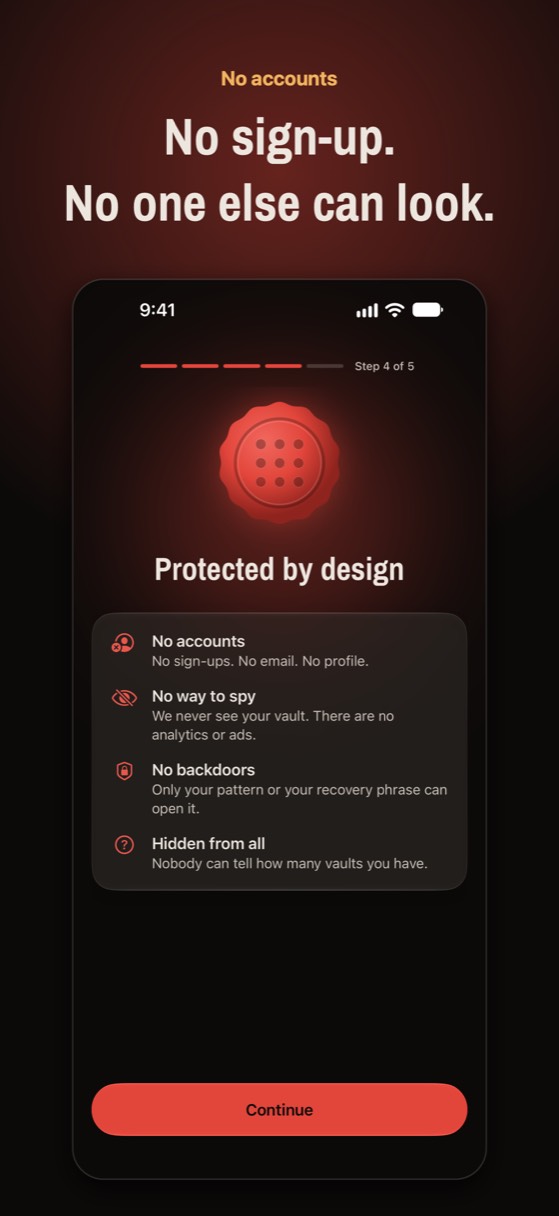
No account. No email. No ads.
Noxium opens with a pattern only you know and backs up, encrypted, to your own iCloud. Free for 150 photos and 10 videos.
Join the beta Version 1.0 was submitted to App Store review in October 2026. It is not on the App Store yet.Questions people ask
Does Keepsafe need an account?
Yes. Keepsafe uses an account tied to your email address, and its cloud backup is stored with Keepsafe.
What is the best Keepsafe alternative without an account?
It depends on what you need. For encrypted iCloud backup and a decoy vault, Noxium and Vaultaire both work without an account. For open-source encryption, look at Obscura or Encamera.
Can I move my photos from Keepsafe to another vault?
Yes. Export them from Keepsafe to Photos, check they arrived at full quality, import them into the new vault, and only then delete them from Keepsafe.
If a vault has no account, how do I recover it if I forget my code?
Only through whatever recovery the app gives you, such as a recovery phrase you keep yourself. With no account, there is no email reset, so set up recovery before you need it.
Something wrong or out of date? Email business@inertiaprojects.info and we'll fix it.