The Hidden album is the first place most people put private photos, because it's free and already on the iPhone. It's good at one job: keeping photos out of your main library. Whether it's private enough depends on who you're keeping them from. Here is what it protects, what it doesn't, and how to make it stricter.
What does the Hidden album actually do?
It takes photos out of view. A hidden photo disappears from your Library, from Memories and featured photos, and from widgets, and shows up only in the Hidden album under Collections › Utilities.
Since iOS 16, the Hidden album and Recently Deleted are locked by default. Opening them needs Face ID, Touch ID or your passcode (Apple: Hide photos with the Hidden album). You can also remove the album from view entirely with Settings › Apps › Photos › Show Hidden Album.
What it doesn't do is move, copy or re-encrypt the photo. A hidden photo is the same file in the same library, with a flag that says "don't show this."
Who can see your hidden photos?
Anyone who can unlock your iPhone with its passcode, or unlock another device signed in to your Apple Account, can see them. Here's how it plays out.
| Situation | Can they see hidden photos? |
|---|---|
| Someone scrolling your unlocked iPhone | No. The Hidden album asks for Face ID. |
| Someone who knows your iPhone passcode | Yes. Face ID falls back to the passcode. |
| Someone using your iPad or Mac | Yes, if they can unlock that device and iCloud Photos is on. |
| Someone who makes you unlock your phone | Yes. There's no second code or decoy. |
| Other apps with full Photos access | Not while the album is locked. If you turn the lock off, apps with full library access can request hidden photos (Apple developer docs). |
| Apple, or a legal request to Apple for your iCloud data | With standard iCloud protection, Apple holds the keys to iCloud Photos. With Advanced Data Protection on, it doesn't. |
Why your passcode is the weak point
The Face ID lock on the Hidden album is a convenience lock, not a separate one. If Face ID fails or is skipped, your iPhone passcode opens the album. Partners, children and housemates often know that passcode, or have watched it typed. A six-digit code typed in public is also easy to shoulder-surf.
If people around you know your passcode, the Hidden album keeps photos out of casual view and nothing more.
Hidden photos sync to your other devices
With iCloud Photos on, the photos you hide on one device are hidden on your other devices too (Apple). That means they exist on every iPad and Mac signed in to your Apple Account. On a shared family iPad, or a Mac that someone else uses, that matters. On a Mac, the Hidden album opens with Touch ID or the login password.
Is the Hidden album encrypted in iCloud?
Only with Advanced Data Protection. By default, iCloud Photos is encrypted in transit and on Apple's servers, but Apple holds the keys. With Advanced Data Protection turned on, Photos becomes end-to-end encrypted and the keys stay on your trusted devices (Apple: iCloud data security overview).
To turn it on, go to Settings › [your name] › iCloud › Advanced Data Protection and follow the steps. You'll need a recovery contact or recovery key, because Apple can no longer help you recover your data (Apple: How to turn on Advanced Data Protection).
How to make the Hidden album more private
- Keep the lock on. In Settings › Apps › Photos, make sure Use Face ID is on. It also keeps other apps from reading hidden photos.
- Hide the album. Turn off Show Hidden Album on the same screen.
- Use a stronger passcode. In Settings › Face ID & Passcode › Change Passcode › Passcode Options, choose a custom alphanumeric code.
- Turn on Advanced Data Protection for end-to-end encrypted iCloud Photos.
- Check where else the photos live: Recently Deleted, shared albums, the iCloud Shared Photo Library, Messages, and any Mac or iPad on your account.
When is the Hidden album not enough?
When the people you're worried about know your passcode, share your devices, or could make you unlock your phone. Then you need a code that's separate from your iPhone's, encryption with a key only you hold, and ideally a way to show something harmless if you're pressured.
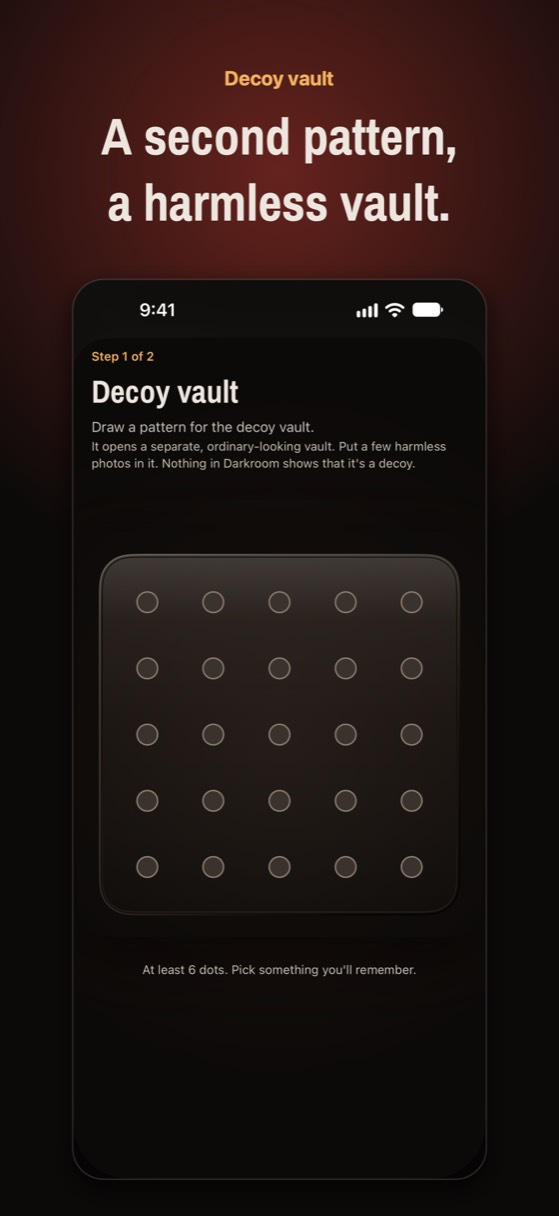
That's what a real photo vault app is for. Noxium, which we make, opens with a pattern you draw on a 5×5 plate of bolts, separate from your passcode. Every photo is encrypted on your iPhone with AES-256-GCM, and a second pattern can open a decoy vault with harmless photos. The encrypted backup goes to your own iCloud, and you can restore it on a new iPhone by drawing your pattern.
Other vault apps differ a lot in how they protect photos. See 17 photo vault apps compared, or read every way to hide photos on iPhone.
A vault with its own key
Noxium opens with a pattern only you know, not your iPhone passcode. Free for 150 photos, 10 videos and 1 decoy vault. No ads, no account.
Join the Early Tester List Version 1.0 was submitted to App Store review in October 2026. It is not on the App Store yet.Questions people ask
Can someone see my Hidden album without Face ID?
Yes, if they know your iPhone passcode. The Hidden album unlocks with Face ID, Touch ID or the passcode.
Does the Hidden album show up on my Mac and iPad?
Yes, if iCloud Photos is on. Photos you hide on one device are hidden on your other devices too. On a Mac, the Hidden album is off by default and opens with Touch ID or your login password.
Can apps see my hidden photos?
Not while the Hidden album is locked, which it is by default. If you turn off Use Face ID in Settings › Apps › Photos, apps with full access to your library can request hidden photos.
Is the Hidden album safe from Apple?
Only with Advanced Data Protection on. With standard iCloud protection, Apple holds the encryption keys for iCloud Photos. With Advanced Data Protection, Photos is end-to-end encrypted.
Do hidden photos get deleted if I turn off Show Hidden Album?
No. Turning off Show Hidden Album only hides the album from view. The photos stay in your library until you unhide or delete them.
Something wrong or out of date? Email business@inertiaprojects.info and we'll fix it.