There are four ways to hide photos on an iPhone, and they protect against very different things. Hiding a photo from someone scrolling through your camera roll is easy. Keeping it from someone who knows your passcode, or who picks up your iPad, takes more. This guide covers each method in iOS 26, with exact steps, and says plainly what each one does and doesn't protect.
Which way of hiding photos should you use?
Use the Hidden album to keep photos out of sight. Use a locked note or a vault app with its own code when the photos must stay private even from people who know your passcode.
| Method | What opens it | Separate from your passcode? | Syncs to your other devices? | Best for |
|---|---|---|---|---|
| Hidden album | Face ID, Touch ID or your passcode | No | Yes, with iCloud Photos | Keeping photos out of your main library |
| Locking the Photos app | Face ID or your passcode | No | Not applicable | Stopping casual browsing of the whole library |
| Locked note | Your passcode or a separate Notes password | Optional | Yes, with iCloud Notes | A few photos you rarely need |
| Encrypted vault app | The app's own pattern, PIN or password | Yes | Depends on the app | Photos that must stay private from anyone |
How do you hide photos with the Hidden album?
Touch and hold a photo, tap Hide, and confirm. The photo leaves your library, Memories and widgets, and appears only in the Hidden album.
- Open Photos and find the photo or video.
- Touch and hold it, then tap Hide and confirm.
- To hide several at once, tap Select, tap each photo, then tap the More (…) button and choose Hide.
To see hidden photos, open Collections, scroll down to Utilities, tap Hidden, then View Album and unlock with Face ID. To unhide one, touch and hold it and tap Unhide.
Make sure the Hidden album is locked
The Hidden album is locked by default on iOS 16 and later. Check it: go to Settings › Apps › Photos and make sure Use Face ID (or Use Touch ID / Use Passcode) is on. The same setting locks Recently Deleted.
To hide the Hidden album itself, turn off Show Hidden Album on the same screen. It then disappears from Collections until you turn it back on.
What the Hidden album doesn't protect
- Your passcode opens it. Face ID falls back to your iPhone passcode, so anyone who knows it can see your hidden photos.
- It syncs. With iCloud Photos on, a photo you hide on your iPhone is hidden, but present, on your iPad and Mac too.
- It isn't separately encrypted. Hidden photos get the same protection as the rest of your library. In iCloud, Photos is only end-to-end encrypted if you turn on Advanced Data Protection (Apple's iCloud data security overview).
For the full picture, read Is the iPhone Hidden album actually private?
Can you lock the whole Photos app with Face ID?
Yes. Since iOS 18 you can make any app, including Photos, ask for Face ID every time it opens.
- Touch and hold the Photos icon on your Home Screen.
- Tap Require Face ID, then confirm.
This stops someone you hand your unlocked phone to from opening Photos. It doesn't hide individual photos, it locks your whole library (which gets tiring), and your passcode still opens it. Not every built-in app can also be hidden from the Home Screen.
How do you hide a photo in a locked note?
Add the photo to a note, then lock the note. Locked notes can use a separate password from your passcode, which makes them stronger than the Hidden album for a handful of photos.
- Open Notes and start a new note.
- Tap the camera button, choose Choose Photo or Video, and add the photos.
- Tap the More (…) button and choose Lock. Use your iPhone passcode, or set a separate Notes password in Settings › Apps › Notes › Password.
- Delete the originals from Photos, then from Recently Deleted (see below).
The trade-offs: notes have no albums or grid view, large videos are awkward, and if you forget a separate Notes password, Apple can't recover the locked notes.
When should you use a photo vault app?
Use a vault app when photos must stay private from people who know your passcode, or when you have more than a handful. A good vault has its own code, encrypts files on the iPhone, and backs them up in a way you can restore.
Many vault apps only put a PIN screen in front of ordinary files. Before you trust one with photos you can't replace, check four things:
- Does it name its encryption? Look for something specific, such as AES-256, done on the device.
- Where does the backup go, and does it restore on a new iPhone? Vault reviews are full of photos lost when switching phones.
- What if you forget your code? You want a recovery option you control, not an email reset the developer can use too.
- Can you export everything, in full quality, without paying?
We compared 17 vault apps on exactly these points: the best photo vault apps for iPhone in 2026.
Hiding photos with Noxium
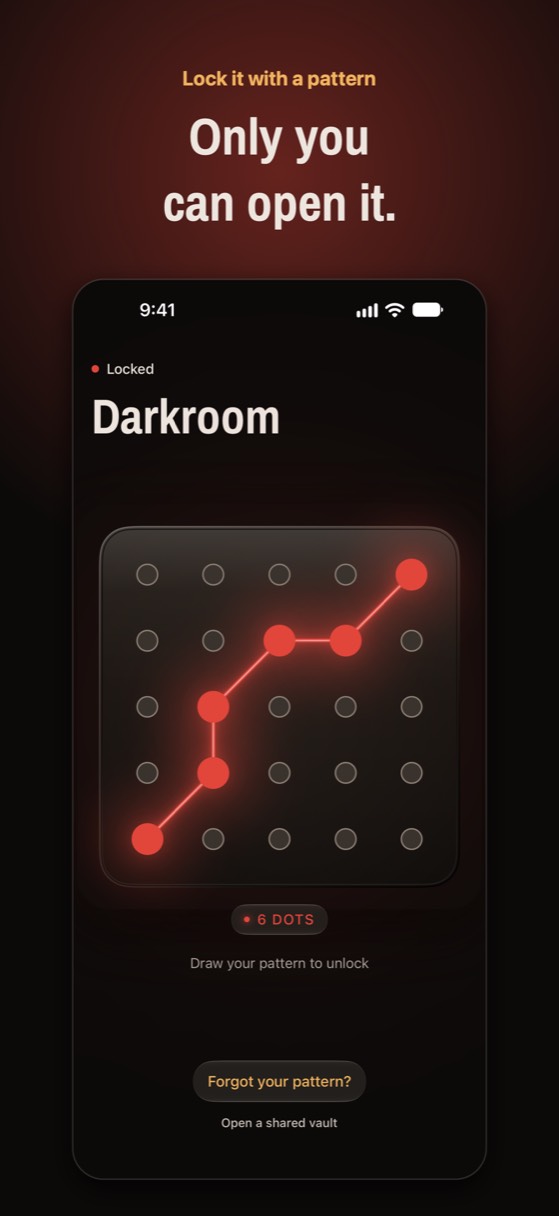
Noxium is the vault app we make. It opens with a pattern you draw on a 5×5 plate of bolts, encrypts every photo on your iPhone with AES-256-GCM, and keeps an encrypted backup in your own iCloud.
- Draw your pattern (at least 6 bolts) and write down the recovery phrase Noxium shows you.
- Tap add and pick photos and videos from your library. HEIC, ProRAW and Live Photos keep their original quality.
- Let Noxium offer to delete the originals from Photos once they're safely in the vault, then empty Recently Deleted.
Try Noxium free: join the beta →
Don't forget Recently Deleted and other copies
Moving a photo somewhere private isn't enough if a copy stays behind. Deleted photos sit in Recently Deleted for 30 days.
- Recently Deleted: open Collections › Utilities › Recently Deleted, unlock it, select the photos and delete them for good.
- Shared albums and the iCloud Shared Photo Library: anything you shared is still visible to the people you shared it with.
- Messages and other apps: a photo you sent or received in Messages, WhatsApp or email has its own copy there.
- Computers: check old imports on a Mac or PC.
Photos only you can see
Noxium hides photos and videos behind a pattern only you know, encrypted on your iPhone and backed up to your own iCloud. Free for 150 photos and 10 videos. No ads, no account.
Join the Early Tester List Version 1.0 was submitted to App Store review in October 2026. It is not on the App Store yet.Questions people ask
Does hiding a photo on iPhone delete it?
No. Hiding moves the photo out of your library into the Hidden album. It stays on your iPhone and in iCloud Photos, and you can unhide it at any time.
Can someone see my hidden photos without my Face ID?
Only if they know your iPhone passcode, or can unlock another device signed in to your Apple Account with iCloud Photos on. Face ID falls back to the passcode.
How do I hide videos on iPhone?
The same way as photos: touch and hold the video in Photos and tap Hide. Every method in this guide works for videos too, although large videos are awkward in Notes.
Are hidden photos encrypted?
Not separately. They have the same protection as the rest of your photo library. In iCloud, photos are end-to-end encrypted only if you turn on Advanced Data Protection. A vault app that encrypts with its own key adds a separate layer.
Can I hide the Hidden album?
Yes. Go to Settings › Apps › Photos and turn off Show Hidden Album. The album disappears from Collections until you turn the setting back on.
Something wrong or out of date? Email business@inertiaprojects.info and we'll fix it.