Lost or missing photos are one of the most common complaints about vault apps. In the most recent one- and two-star App Store reviews of eight popular vault apps, which we read in October 2026, missing photos came up 47 times. The good news: "missing" often means "not where you're looking". This guide walks through what to do, in order, without making things worse.
What should you not do when vault photos go missing?
Don't delete the app, reinstall it, or reset your iPhone. A vault app keeps its files inside its own storage on the phone. Deleting the app deletes that storage, and reinstalling gives you an empty vault.
- Don't delete or reinstall the vault app, on any device.
- Don't erase your old iPhone if you've just switched phones.
- Don't restore an older iPhone backup over your phone yet. It can replace newer data.
- Don't pay a "recovery" tool or service that promises to unlock a vault. If the vault really is encrypted, they can't; if it isn't, the developer can help for free.
Where could the photos still be?
Check these places in order. Most recoveries happen at one of the first three.
- Inside the app, but somewhere else. Look for other albums or folders, a trash or "Recently Deleted" area, a second vault opened by a different PIN (a decoy you set up and forgot), or a filter that hides some items.
- On your old iPhone or iPad. If you switched phones, open the vault on the old device. Many vault apps don't move their photos with Quick Start or an iCloud backup.
- In the app's cloud or backup. Look in the app's settings for backup, sync or cloud. Some apps keep a cloud copy in their own service, which needs the same account you used before. Others back up to your own iCloud and restore when you open the vault with the same code on the same Apple Account.
- In your iCloud storage list. Go to Settings › [your name] › iCloud › Manage Account Storage and look for the vault app. If it's there with data, a backup exists, even if the app isn't showing it yet.
- On a computer. If the app's listing mentions iTunes, Finder or Wi-Fi transfer (Private Photo Vault's does), connect the iPhone to a Mac or PC and check the app's files in Finder (iPhone › Files) or the Apple Devices app. Some apps keep copies there.
- In Photos. Check Collections › Utilities › Recently Deleted in the Photos app. If you deleted originals after importing them into the vault in the last 30 days, they may still be there.
What happened? Match your situation
| What happened | Look first |
|---|---|
| Switched to a new iPhone | The old iPhone, then the app's own backup or cloud restore |
| App was updated, then photos disappeared | Force-quit and reopen; check for another update; contact the developer before reinstalling |
| Reinstalled the app | The app's cloud or iCloud backup, signed in with the same account |
| Subscription ended | Whether the app limits access on the free plan; resubscribing may restore access |
| Entered a different PIN or pattern | You may be in a decoy vault; lock and try your main code |
| Only thumbnails show, or videos won't play | Full-size files may still be downloading from the cloud; keep the app open on Wi-Fi |
How do you ask the developer for help?
Email the developer before you change anything else. Their contact details are on the app's App Store page under App Support, or in the app's settings. Include:
- The app name and version, and your iPhone model and iOS version.
- What you did just before the photos went missing (update, new phone, reinstall, subscription change).
- Roughly how many items are missing, and whether thumbnails show.
- Whether you used the app's cloud backup, and the account email if it has one.
Never send your PIN, password, pattern or recovery phrase. A real developer won't ask for it.
If the developer doesn't answer within a few days, you can ask Apple for a refund of a recent purchase at reportaproblem.apple.com. That won't recover photos, but it's worth knowing.
How do you stop it happening again?
Use a vault with a backup you can restore, check that backup now and then, and keep your own copy of anything you can't replace.
- Know where your backup lives and what you need to restore it: an account, an Apple Account, a code, a recovery phrase.
- Check that backups finish. A full iCloud quietly stops them.
- Test a restore on another device if you can, before you need it.
- Export irreplaceable photos to an encrypted drive or a computer you control, as a second copy.
- Before switching phones, follow our new-iPhone checklist.
Noxium, which we make, was built around this problem. Its encrypted backup goes to your own iCloud on the free plan, and on a new iPhone you draw your pattern and the vault comes back. If you forget the pattern, the recovery phrase you wrote down at setup opens it. And if Pro ends, you keep full access to view, export and back up everything.
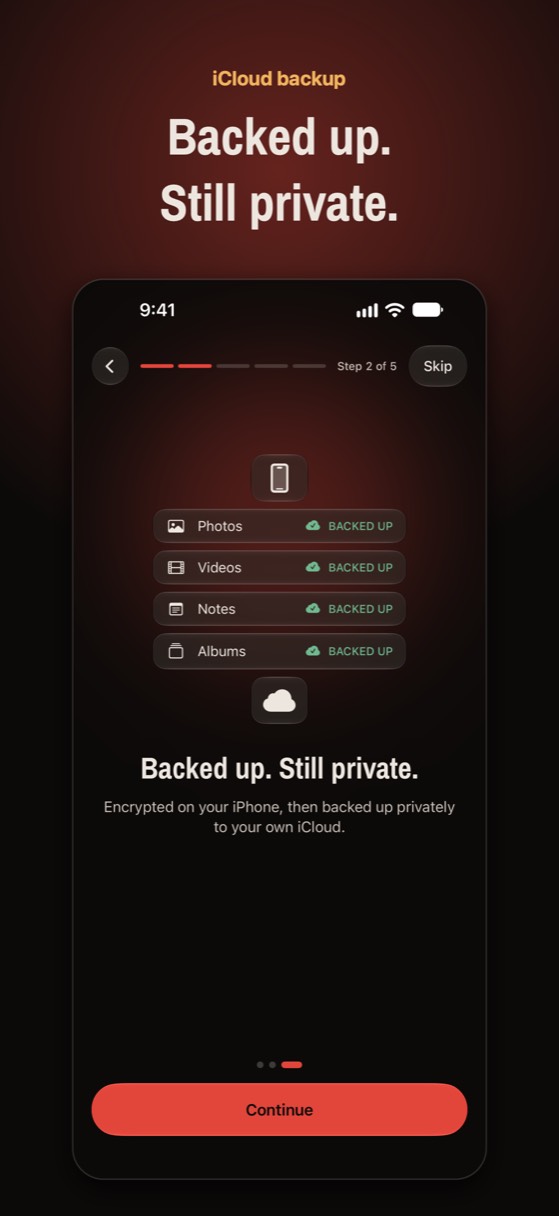
A backup that actually restores
Noxium backs up an encrypted copy of your vault to your own iCloud, free. New phone? Draw your pattern and everything comes back.
Join the beta Version 1.0 was submitted to App Store review in October 2026. It is not on the App Store yet.Questions people ask
Can deleted vault app photos be recovered?
Sometimes. If the app had a cloud backup, or you still have the old phone or a computer copy, yes. If the app kept photos only on the phone and the app was deleted, they're usually gone, because deleting an app deletes its storage.
Will reinstalling the vault app bring my photos back?
Only if the app restores them from a cloud backup. Reinstalling by itself gives you an empty vault, and it deletes any local copy that was left. Contact the developer first.
Does an iCloud backup of my iPhone include my vault photos?
It depends on the app. Some include their files in the iPhone's backup; many leave them out on purpose and use their own backup instead. Check the app's settings or ask the developer.
I see thumbnails but the photos won't open. Are they lost?
Not necessarily. Many vaults download full-size photos from the cloud in the background. Keep the app open on Wi-Fi and power for a while, and check your iCloud or the app's cloud storage isn't full.
Something wrong or out of date? Email business@inertiaprojects.info and we'll fix it.