The Hidden album works well for one pile of photos. It gets awkward when you have several kinds of private photos: scans of your passport and bank cards, photos of a medical issue, a surprise you're planning, personal photos. They all end up in one grid, behind one lock, and anyone you unlock it for sees all of them. This guide explains what iOS 26 can and can't do, and the ways to get properly separate hidden albums.
Why does iOS only have one Hidden album?
Because hiding in Photos is a flag on each photo, not a place. When you tap Hide, the photo stays in the same library and is marked "hidden"; the Hidden album simply shows every photo with that flag. There's no way to have two flags, so there's no way to have two Hidden albums. You can't create albums inside it either, and it can't be sorted into folders (Apple: Hide photos with the Hidden album).
The lock works the same way. The Hidden album opens with Face ID, Touch ID or your iPhone passcode, the same as Recently Deleted. There's no setting to give it, or any part of it, a different code. For how to view, add to and lock the album, see the complete guide to hidden photos on iPhone.
Can you sort hidden photos into albums?
No. Hiding a photo removes it from every other album as well: Apple says hidden items "don't appear anywhere else in Photos, like the Library, other albums, or even the Photos widget". So you can't use albums to split hidden photos into groups. And leaving private photos unhidden in a named album doesn't help either, because albums you create open without any lock and anyone who opens Photos can browse them.
What are the ways to get several hidden albums?
There are three that actually keep groups apart. They differ in whether each group gets its own code.
| Method | Separate groups? | Separate code per group? | Good for |
|---|---|---|---|
| Hidden album | No, one grid | No, your passcode | One pile of photos you want out of sight |
| Locked notes | Yes, one note per group | No, all locked notes share one password | A few photos per group, such as document scans |
| Vault app with locked albums | Yes | In some apps, yes | Many photos, videos, or groups you open for different people |
How do you use locked notes as separate hidden albums?
Make one note per group, add the photos, and lock each note. Each note then opens on its own, so unlocking your document scans doesn't show anything else.
- Open Notes and create a note. Give it a plain title, such as "Documents" (the title stays visible when the note is locked).
- Tap the camera button, choose Choose Photo or Video, and add the photos for that group.
- Tap the More (…) button and choose Lock.
- Repeat for each group.
- Delete the originals from Photos, then from Recently Deleted.
The catch is the password. All locked notes in an account use the same one: either your iPhone passcode or one Notes password you set in Settings › Apps › Notes › Password (Apple: Lock or unlock notes on iPhone). So the notes are separate, but anyone with that password can open every one. Notes also have no photo grid, and long videos are clumsy in them.
How do vault apps handle multiple hidden albums?
Most photo vault apps let you create as many albums as you like inside the vault, and some let you lock individual albums with a code of their own. That's the closest thing to several separate Hidden albums, each with its own key. What to check before you choose one:
- Is each album locked with its own code, or only the app? Many apps have one PIN for everything, which is the same problem as the Hidden album.
- Is it encrypted? A per-album PIN only matters if the photos behind it are encrypted, not just hidden behind a screen.
- Can you show something harmless if pressured? A decoy vault opens with a different code and shows only what you put in it.
- Does the backup include every album, and does it restore on a new iPhone?
We compared 17 vault apps on these points in the best photo vault apps for iPhone.
Multiple hidden albums in Noxium
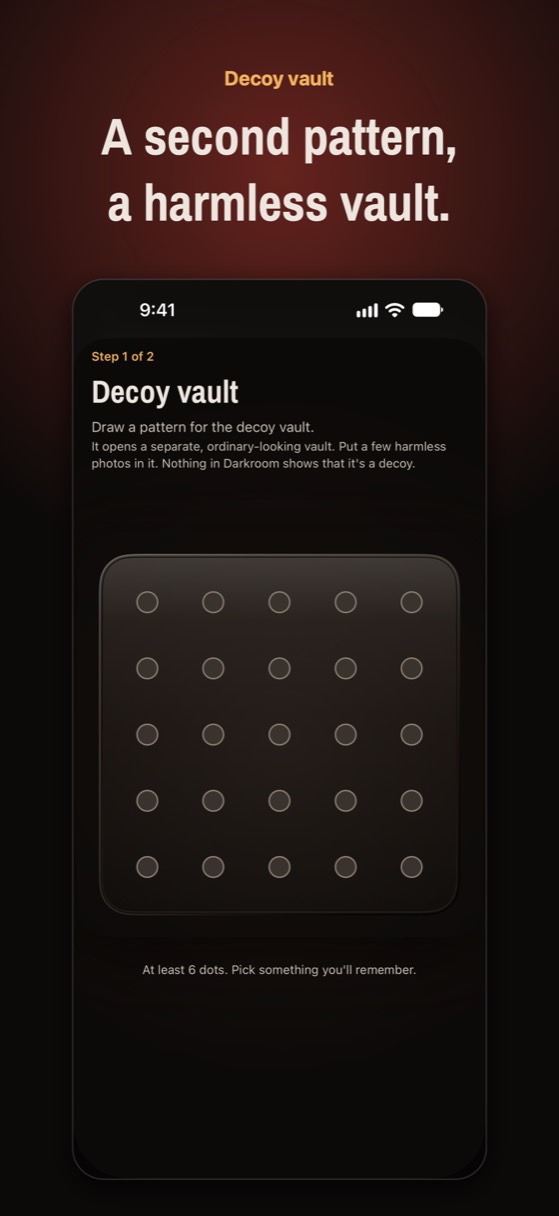
Noxium, which we make, has two ways to keep groups apart. Inside the vault you can make albums and albums inside albums. With Noxium Pro, an album can have its own pattern, so it stays locked even when the vault is open. On the free plan, a second pattern opens a separate decoy vault with its own photos. An album with its own pattern gets its own encryption key, and its photos are re-encrypted with it, so the vault's pattern alone can't open them.
- Make an album: in the vault's albums, tap the New album button, name it, and move photos into it.
- Give it its own pattern (Pro): touch and hold the album, tap Give it its own pattern and draw a new pattern. The album stays locked inside the open vault until that pattern is drawn.
- Add a decoy vault (free): go to Settings › Vaults, draw a second pattern, and keep harmless photos in that vault.
Get Noxium free on the App Store →
What it doesn't protect: if someone watches you draw a pattern, or makes you draw it, they can open what that pattern opens. And photos you sent in Messages or other apps still have copies there.
Separate albums, separate keys
In Noxium, every photo is encrypted on your iPhone, and a second pattern opens a separate decoy vault. Free for 150 photos, 10 videos and 1 decoy vault. No ads, no account.
Download on the App Store Available on the App Store for iPhone and iPad.Questions people ask
Can you create a second Hidden album on iPhone?
No. iOS 26 has one Hidden album per photo library, and you can't add albums or folders inside it.
Can you password-protect a single album in Photos?
Not in Apple's Photos app. Only the Hidden album and Recently Deleted are locked, both with Face ID or your passcode. To lock a single album with its own code, you need a vault app that supports it.
Can different locked notes have different passwords?
No. All locked notes in one account use the same password: your iPhone passcode or a single Notes password. If you forget a separate Notes password, Apple can't recover the notes locked with it.
Does the iCloud Shared Photo Library have its own Hidden album?
It shares one. If you hide a photo in the Shared Library, it moves to the Hidden album for every participant, and any of them can view or unhide it.
Something wrong or out of date? Email business@inertiaprojects.info and we'll fix it.