A photo vault without a backup is one dropped phone away from losing everything. A backup that isn't encrypted defeats the point of a vault. Noxium, the vault we make, does both: it keeps its own backup in your iCloud, and everything in it is encrypted on your iPhone first. There is no Noxium account and no Noxium server in between. This page shows what is uploaded, how restoring works, and what the backup can't do.
How does the encrypted backup work?
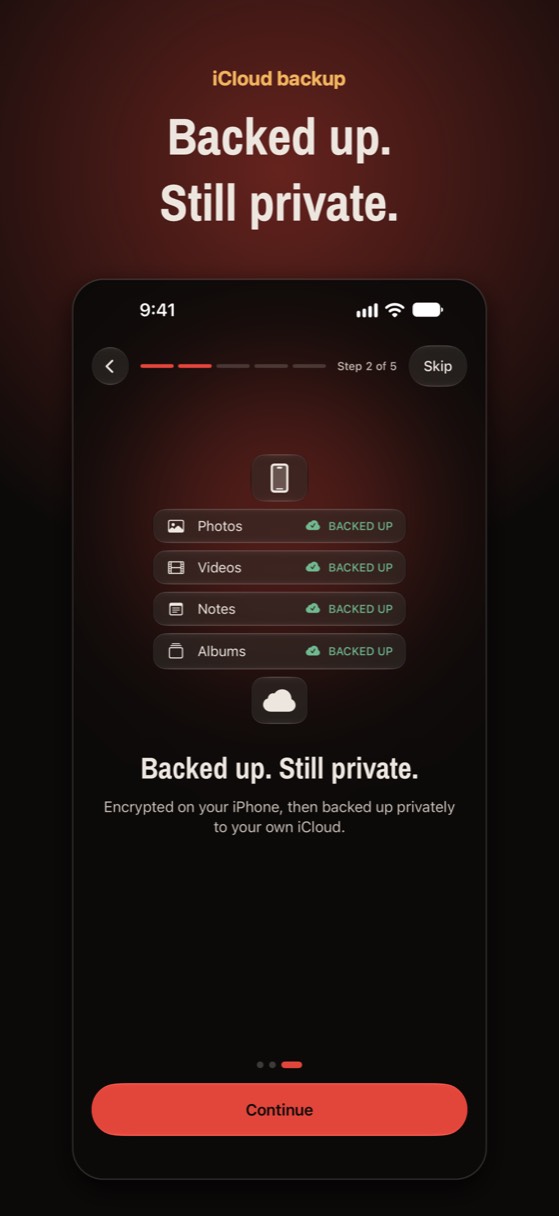
Noxium encrypts each item on the iPhone, then uploads only that encrypted data to the private CloudKit database in your iCloud. Apple's servers hold it, but the keys stay with your pattern.
- Encrypt first. Every photo, video, note and thumbnail is already encrypted with AES-256-GCM by the time it is stored (see on-device encryption). The backup reuses that ciphertext.
- Upload to your iCloud. Each vault gets its own space in your private iCloud database. It holds the vault's sealed key, its encrypted details, and its encrypted items.
- Keep going while locked. Because the backup only handles encrypted data, uploads continue after you lock the vault.
- Restore with your pattern. On a new iPhone, your pattern rebuilds the key that opens the vault key in iCloud. Nothing else can.
The backup is separate from the iPhone's own iCloud Backup. Noxium deliberately leaves its vault files out of the device backup and Quick Start transfers, so private photos don't sit in an ordinary backup. Its own encrypted backup is what brings them back.
What goes to iCloud, and what doesn't?
| Data | In iCloud? |
|---|---|
| Photos, videos, notes, thumbnails | Yes, encrypted |
| Names, dates, places, album names | Yes, encrypted |
| Each vault's key | Only sealed by your pattern (and recovery phrase) |
| The salt and Argon2id settings | Yes, so a new iPhone can rebuild your key |
| Your pattern or recovery phrase | No, never |
| Face ID key | No, it stays in this iPhone's Keychain |
This holds with or without Apple's Advanced Data Protection. With standard iCloud protection, Apple can decrypt your iCloud Backup and iCloud Photos (Apple lists the categories in its iCloud data security overview). Noxium's backup is different: Apple only ever receives data that is already encrypted with a key it doesn't have.
How do you set it up and check it?
Turn it on during setup, then check it before you change phones.
- Turn it on. During setup, choose Back up to iCloud. Your iPhone must be signed in to iCloud. You can turn it on later in Settings › iCloud backup › Back up this vault.
- Check the status. Settings › iCloud backup shows when the vault was last backed up and how many items are waiting. Tap Back up now to start right away.
- Choose how videos upload. Wi-Fi only for videos is on by default, so large videos wait for Wi-Fi.
- Back up each vault. A decoy vault has its own backup switch. The status only counts the vault you're in, so it never reveals that other vaults exist.
- Watch your storage. The backup counts toward your iCloud storage. Used in iCloud shows how much. If iCloud is full, Noxium pauses and tells you about how much more space it needs.
How do you restore on a new iPhone?
Sign in to the same Apple Account, open Noxium, and draw your pattern. The full checklist is in how to move a photo vault to a new iPhone.
- Find the backup. On first launch, Noxium looks for a backup in your iCloud and shows Restore your vault.
- Draw your pattern. Draw the pattern you used on your old iPhone, or choose Restore with recovery phrase.
- Browse right away. Details and thumbnails arrive first. Choose whether full-size photos download Now or When I open them.
- Open the other vaults. Other vaults, such as a decoy, stay in iCloud until you draw their patterns. Later, use Settings › iCloud backup › Restore from iCloud.
Short on space? Free up space removes full-size copies that are already backed up. Previews stay, and the originals download again when you open them.
What doesn't the backup protect?
- Forgetting both keys. If you lose your pattern and your recovery phrase, nobody can open the backup: not us, not Apple.
- Someone in your iCloud with time to guess. Your iCloud holds the sealed keys and the salt. A person who gets into your Apple Account could try patterns offline. Argon2id makes every guess slow, but a short or obvious pattern can still fall. Protect your Apple Account with a strong password and two-factor authentication.
- What Apple can see. Apple can see that Noxium stores data in your iCloud, and roughly how much. It can't see the photos or their details.
- Deleting the backup. The backup lives in your iCloud. If the Apple Account is lost or the data is deleted, the backup is gone too. Turning off Back up this vault stops new uploads; what's already in iCloud stays.
- Live sync. The backup restores a vault; keeping an iPhone and an iPad in step is a separate Pro feature.
Is it free or Pro?
Full iCloud backup and restore is part of the free plan, which holds 150 photos, 10 videos, unlimited notes and 1 decoy vault. Noxium Pro adds unlimited items and iPhone and iPad sync, among other things. If Pro ends, you keep full access to view, export and back up everything already in your vault.
New phone? Everything comes back.
An encrypted backup goes to your own private iCloud. On a new iPhone, draw your pattern and your vault restores.
Download on the App Store Available on the App Store for iPhone and iPad.Questions people ask
Do photo vault apps back up to iCloud?
Some do, some use their own cloud, and some keep photos only on the phone. Check the app's settings for a backup section before you rely on it. Noxium backs up to your own iCloud, encrypted.
Will my vault photos show up in iCloud Photos?
No. Noxium's backup sits in its own private CloudKit space, not in iCloud Photos, and it is encrypted. Nothing appears in the Photos app or on iCloud.com. Apple's Hidden album is a different case: see is the iPhone Hidden album private?
Does the backup use my iCloud storage?
Yes. It counts toward your iCloud plan. Settings › iCloud backup shows how much it uses, and Noxium tells you if iCloud is full.
Can I restore with a different Apple Account?
No. The backup lives in the iCloud of the Apple Account that made it, so the new iPhone must be signed in to that account.
Do I need Advanced Data Protection?
Not for Noxium's backup, which is encrypted before upload either way. Advanced Data Protection is still worth turning on for the rest of your iCloud, such as Photos and device backups.
Something wrong or out of date? Email business@inertiaprojects.info and we'll fix it.